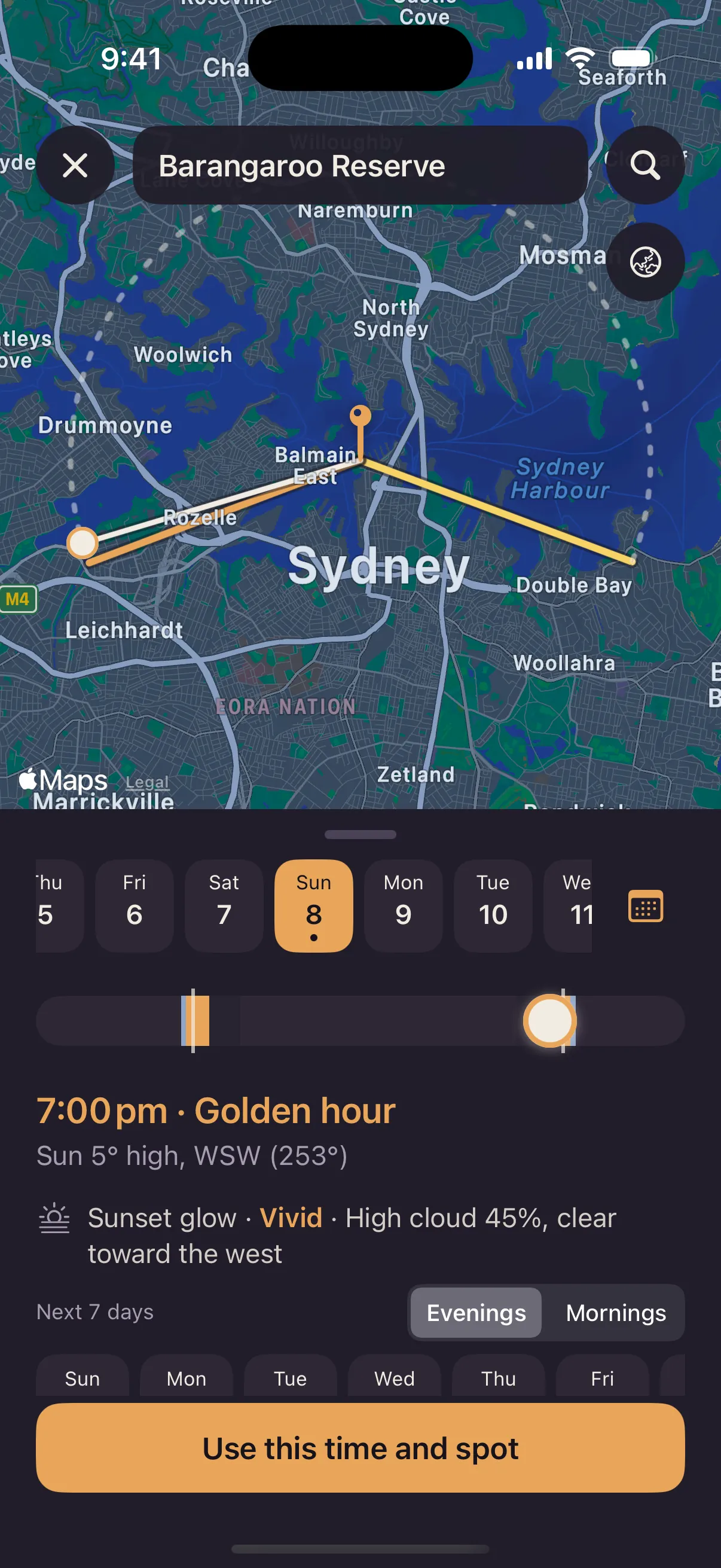
See where the light falls
The sun map shows where the light falls at your location at any time of day, so you can plan where to stand before you arrive.
Free shoot planner for iPhone
Golden hour for any spot, a brief for the day, and quotes and invoices that look the part. Umbra is the shoot planner for photographers and videographers who run the business from their phone.

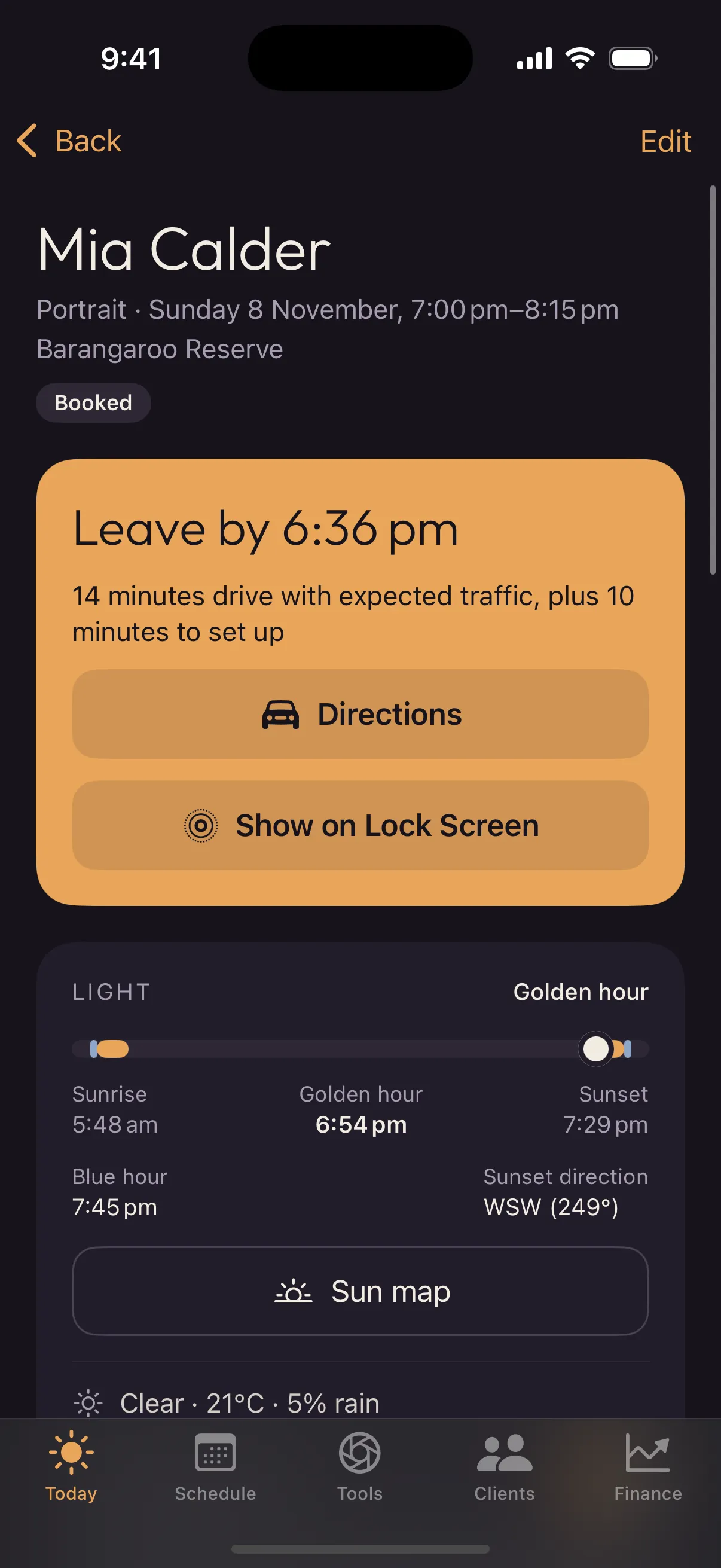
The light
Sunrise, sunset, golden hour and blue hour, worked out on your iPhone for the exact spot and date. No signal needed.
Example times. Umbra works them out for your spot.
The sun map shows where the light falls at your location at any time of day, so you can plan where to stand before you arrive.
A rating for the chance of a colourful sunrise or sunset, so you know when it’s worth staying out a little longer.
A heads-up the evening before a shoot if rain is on the way, with time to move it.
Booking a portrait at midday? Umbra flags the harsh light and offers to move the shoot to golden hour.
The day of the shoot
Book a shoot in seconds. On the day, Umbra tells you when to leave, what the light and weather are doing, and what you still need to capture.
One screen for the whole shoot.
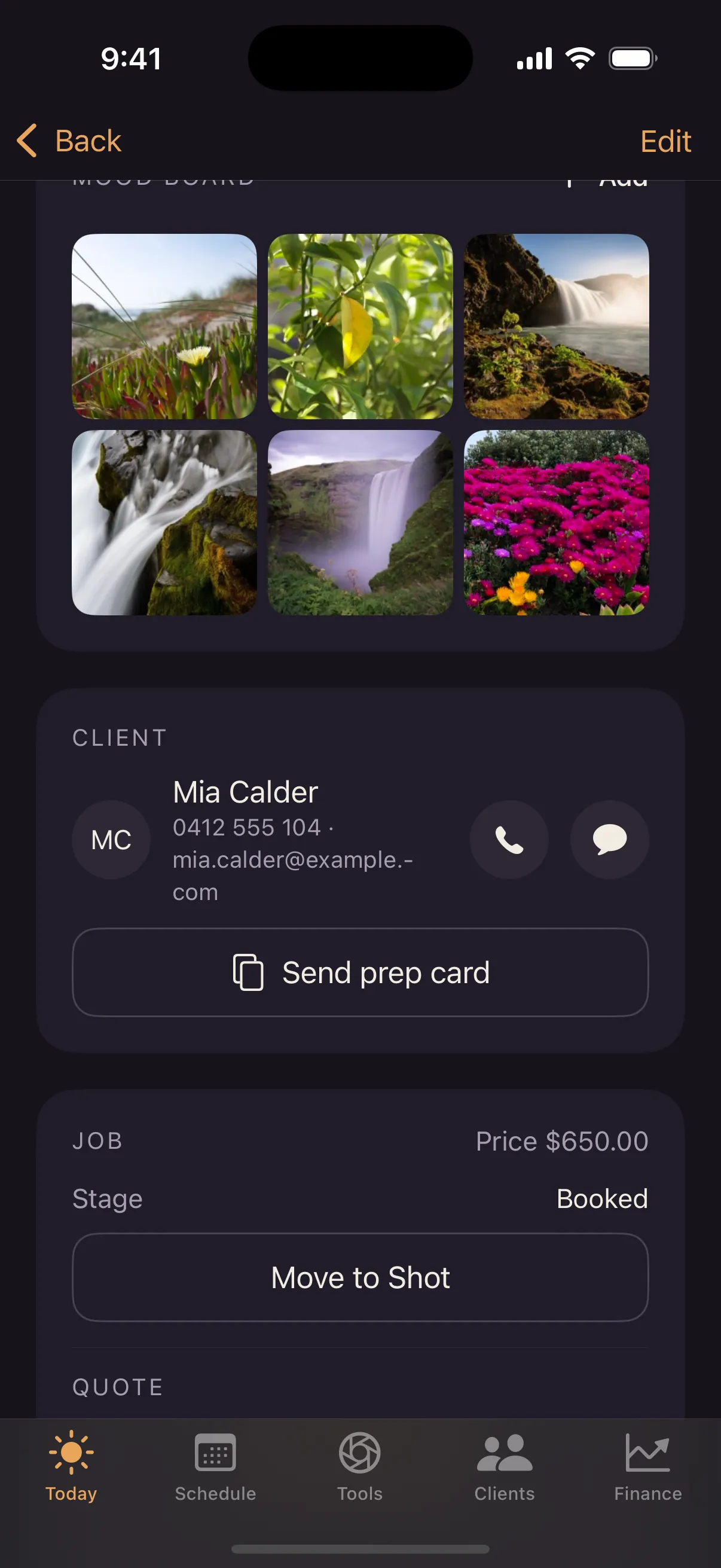
On shoot day, a Live Activity keeps the shoot in view on your Lock Screen and in the Dynamic Island.
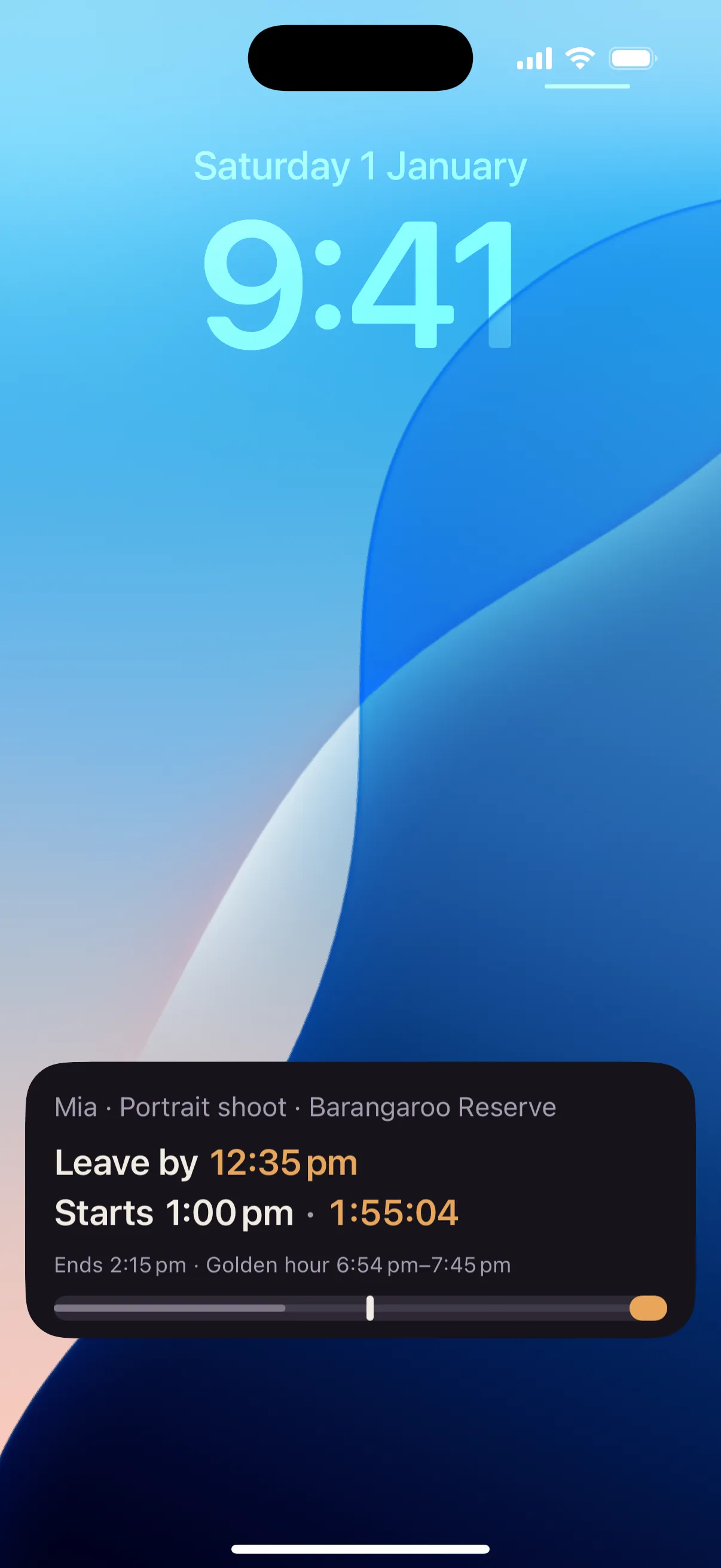
Send your client the time, the place, the light and what to wear, so they arrive ready and relaxed.
Your shoot
Portrait session
Client records keep your notes and important dates, with reminders when it’s time to rebook.
The business side
A photographer invoice app and client manager in one. Look professional to clients and spend less of your evening on admin.
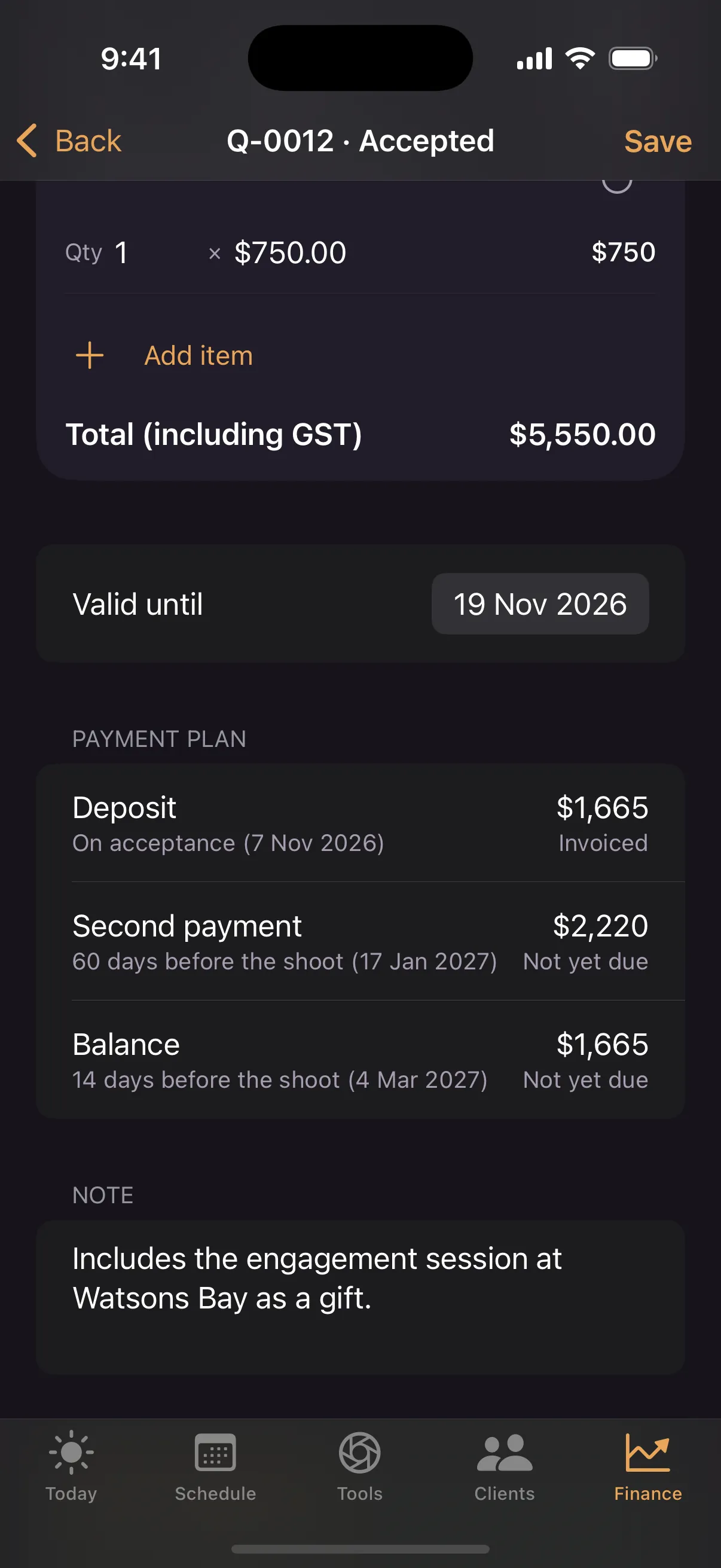
Split a wedding into a deposit and instalments. Each payment becomes an invoice when it’s due.
Tidy PDF invoices you can send to clients straight from your phone.
Scan a receipt with your iPhone camera and it’s filed against the expense.
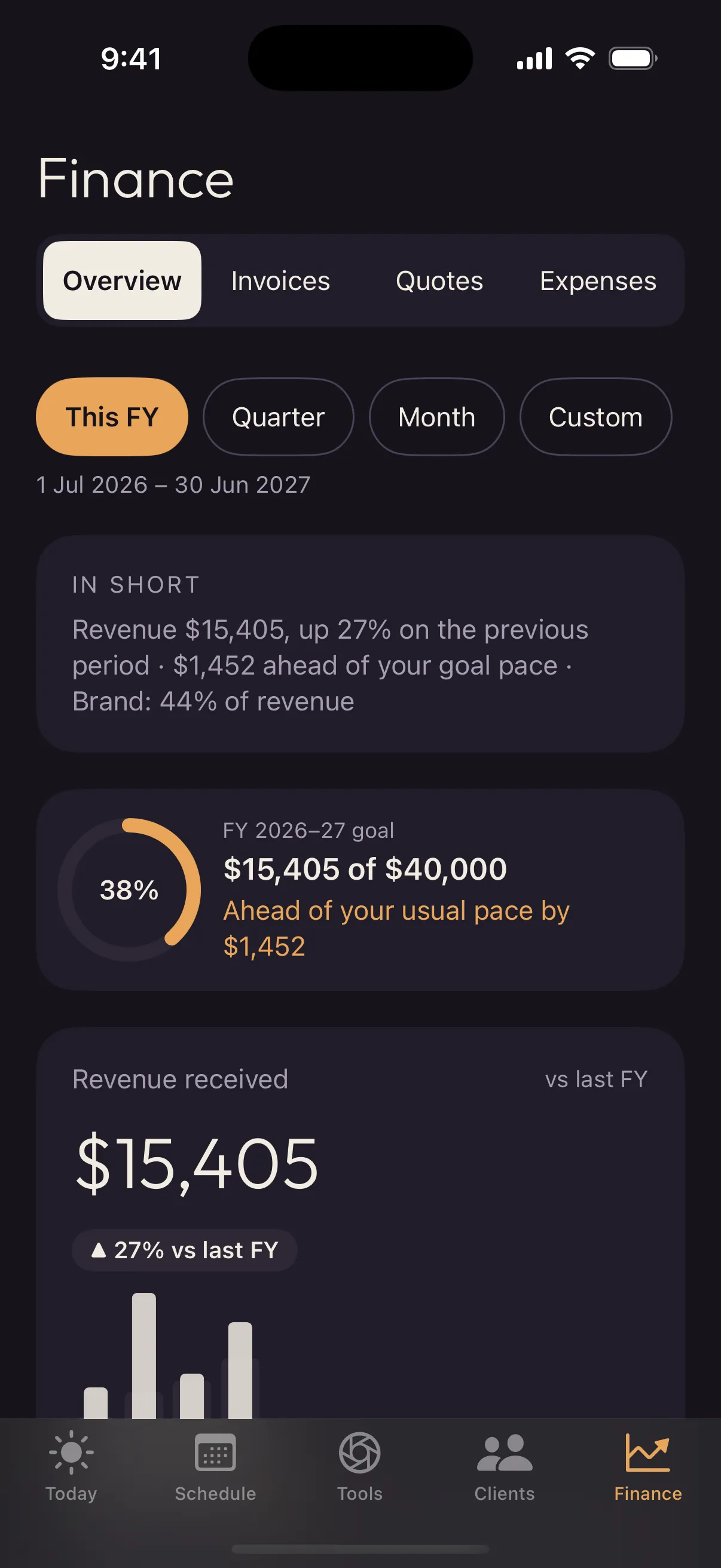
Revenue, profit and progress towards your financial year goal.
A tidy pack for your accountant when the financial year ends.
Each country has its own currency, tax name, tax rate and financial year, so GST and VAT come out right.
Private by design
Everything lives on your iPhone and in your own iCloud. There’s nothing to sign up for, and I never see your data.
Tools
A posing library with cues to say and setup notes for each pose.
Start every wedding, family or brand shoot from a list you trust.
Home Screen and Lock Screen widgets keep the day’s shoots a glance away.
On Apple Intelligence iPhones, a morning brief and plain-English finance summaries, written on the device.
Questions
Yes. Umbra is free, with no in-app purchases, no subscriptions and no ads.
Yes. Sun times, golden hour and blue hour are worked out on your iPhone, and your bookings, clients, quotes and invoices are stored on it, so they all work at beaches, parks and venues with no signal. The weather forecast needs a connection.
On your iPhone and, if you use iCloud, in your own private iCloud account. There are no accounts, and I can’t see your data. Read the privacy policy.
Any iPhone running iOS 17 or later. Smart help, the morning brief and finance summaries, needs an iPhone that supports Apple Intelligence.
Yes. The light planning works anywhere. The business side is set up for Australia, New Zealand, the UK, Ireland, Canada and the US, each with its own currency, tax name, tax rate and financial year.
Yes. Tax time puts together a pack for your accountant covering your revenue and expenses for the financial year.
Not yet. Umbra is iPhone only for now.
Email hello@nathandarma.com. I read and answer every email myself. There’s more on the support page.